Carrying Proof of License on Your Phone
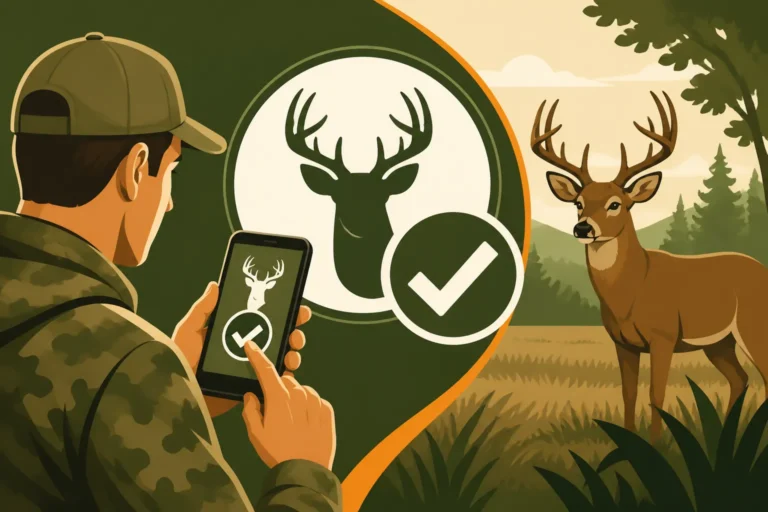
It’s happened to all of us, right? You’re out in the Georgia woods, maybe deep in a swamp or up on a mountain ridge, and that familiar thought pops into your head: "Did I remember my hunting license?" Or worse, you hear a game warden approaching and suddenly realize your physical license is back in the truck, or worse, crumpled and soaked in a forgotten pocket. The good news is, Georgia has moved with the times, offering a much more convenient way to carry proof of your hunting license – right on your phone. This guide will walk you through everything you need to know about using your smartphone as your official license proof, helping you avoid those stressful moments afield.
The Digital Shift: A Hunter's Convenience
For generations, the ritual of preparing for a hunt included ensuring your paper license was tucked safely into your wallet, often laminated against the inevitable dampness and wear of a season in the outdoors. We’d fret over losing it, or finding it illegible after a particularly wet day in the field. But times have changed. The rise of digital technology has transformed how we manage nearly every aspect of our lives, and hunting licenses are no exception. This move towards digital proof isn't just about convenience; it's a recognition of how modern hunters interact with their equipment and information.
Think about it: most of us carry our smartphones everywhere. It's our camera, our map, our communication device, and often, our connection to vital hunting resources. Integrating license proof into this already indispensable tool just makes sense. It means one less piece of paper to worry about, one less item to potentially lose in the woods, and one less thing to dig for when you need it most. This shift has been a welcome change for many hunters who appreciate the streamlined approach, freeing them up to focus on the hunt itself rather than the logistics of paperwork.
The days of wondering "How Long a Georgia License Stays Valid" and fumbling for a worn-out card are quickly fading into memory. Now, with a few taps, you can access your official credentials, making the whole process smoother and more efficient. It also helps with quick verification for things like Georgia Deer Harvest Reporting Rules or simply confirming your current Georgia Hunting Licenses and What They Cost without a separate trip to a vendor.
Georgia's Official Stance on Digital Licenses
Georgia’s Department of Natural Resources (DNR) has embraced the digital age, understanding that modern hunters expect flexibility and convenience. You are absolutely allowed to carry proof of your valid hunting license, harvest record, and permits digitally on your smartphone or other electronic device. This isn't just a suggestion; it's officially sanctioned, which provides a huge relief for many of us who've worried about the legality of a screenshot versus a physical card. However, there are some important nuances to understand to ensure your digital proof is always considered valid.
The key is that the proof must be clear, legible, and readily available for inspection by a game warden. This means a simple, easily accessible image or a direct display through an official application. While this flexibility is fantastic, it also puts the onus on the hunter to ensure their digital display is always up to par. No blurry photos or expired screenshots will do the trick.
This digital acceptance extends to various permits and certifications. Whether it's your basic Georgia Resident Hunting License Options, a specialized bear permit, or your migratory bird certification, if you can display it clearly on your device, it counts. It’s all about making the enforcement process efficient for game wardens and the hunting experience less burdensome for sportsmen and women.
Understanding the "Go Outdoors Georgia" Ecosystem
The cornerstone of Georgia's digital licensing system is the "Go Outdoors Georgia" platform. This isn't just a website; it’s an entire ecosystem designed to manage hunting, fishing, and boating licenses, permits, and harvest reporting. When you buy a license, whether online or through a licensed vendor, your information is stored in this central database. This digital record is what allows your phone to become your proof.
You can typically access your license information in a few ways through this system:
- The Go Outdoors Georgia Website: By logging into your account on a web browser, you can view, print, or take a screenshot of your current licenses. This is a reliable method, especially if you have an internet connection.
- The Go Outdoors Georgia App: The official app, available for both iOS and Android devices, is perhaps the most convenient way to carry your license digitally. Once you log in, your licenses are typically downloaded and stored within the app, meaning you can often display them even without cell service. This is particularly useful when you're deep in the Chattahoochee-Oconee National Forest Hunting areas where signal is often nonexistent.
- Third-Party Apps (with caution): While some third-party apps might offer to store your information, always prioritize the official Go Outdoors Georgia app or a clear screenshot from the official website. You want to be sure that the information displayed is exactly as a game warden would see it in their system.
This integration means that renewing your license, adding a big game stamp, or getting your Georgia Migratory Bird Certification can all be done from your couch, and the proof is instantly accessible on your phone. It truly simplifies the administrative side of hunting, letting you focus more on scouting and less on paperwork.
What Constitutes Valid Digital Proof?
So, what exactly does a game warden need to see on your phone to consider your license proof valid? It's fairly straightforward, but adhering to these details is crucial to avoid any misunderstandings.
- Legible Display: The information must be clear and easy to read. A bright screen, sufficiently large text, and a non-blurry image are paramount. If your screen is cracked or obscured, it might not be considered valid.
- Current Information: The license displayed must be active and current. An expired license or a screenshot from a previous season won't work. This is where relying on the official app is often better than a static screenshot, as the app generally updates in real-time.
- Complete Information: Your full name, date of birth, customer ID number, license type, and expiration date should all be clearly visible. It needs to contain all the same vital details as a physical license.
- Accessibility: You must be able to present it upon request without undue delay. This means having it quickly accessible, not buried under 30 apps or requiring a lengthy search.
Imagine this scenario: you're wrapping up a successful Spring Turkey Hunting in Georgia hunt, and a warden approaches. They ask to see your license. Fumbling with a dead phone, a locked app, or a screenshot from three years ago could land you in hot water. The expectation is that you treat your digital license with the same care and readiness as you would a physical one. This level of readiness is particularly important when considering the potential for Georgia Wildlife Violation Penalties if you can't produce valid proof.
Ensuring Your Digital License is Always Ready
While the convenience of a digital license is undeniable, it also introduces a new set of considerations to ensure you're never caught unprepared. The last thing any hunter wants is to face a game warden with a dead phone or an inaccessible license. Proactive preparation is key to making your digital proof work flawlessly for you in the field.
The outdoor environment can be tough on electronics. Rain, sweat, dirt, drops, and cold temperatures can all conspire against your device. Furthermore, many prime hunting locations, especially in remote areas like the Okefenokee Swamp Region or deep within a WMA, are notorious for having little to no cell service. This lack of connectivity can directly impact your ability to access cloud-based license information, or even just keep your battery charged if you’re using your phone for navigation all day.
Thinking through these potential pitfalls and having robust backup strategies isn't just smart; it's essential for responsible hunting. It's about being prepared for anything the wild, or technology, throws your way.
Navigating Signal Dead Zones and Battery Drain
The two biggest adversaries to your digital license in the field are a lack of cell signal and a dead battery. Let's tackle these head-on.
Signal Dead Zones: Many official hunting apps, including the Go Outdoors Georgia app, are designed to store your license data locally on your device once you've logged in and viewed it. This is a game-changer! Before heading into an area you know has spotty service, make sure you've opened the app, refreshed your license details, and confirmed they're visible. This way, even if you lose signal, your license is still there, ready to be displayed. A static screenshot of your current license details, stored in your phone's photo gallery, also works as a backup for signal issues, but ensure it's up-to-date.
Battery Drain: This is perhaps the most common pitfall. Using your phone for GPS, communication, or even just checking the time can quickly deplete your battery, especially in cold weather.
- Portable Chargers: Carry a fully charged portable power bank and the necessary charging cables. A good quality power bank can give your phone several full charges, ensuring it stays alive through a long day afield.
- Power Management: Turn off unnecessary apps, reduce screen brightness, and put your phone in low power mode. If you're using a mapping app like GoHunt, download your maps offline before you leave home to reduce data and battery usage.
- Cold Weather Care: Keep your phone in an inside pocket, close to your body heat, to preserve battery life in colder temperatures, particularly during the late season when Cold-Weather Sitting Strategy in a Georgia January might be employed.
By taking these simple steps, you significantly increase the chances that your digital license will be available when you need it, no matter how remote your hunting spot.
Essential Backup Strategies for Peace of Mind
Relying solely on your phone, no matter how prepared you think you are, can be risky. Technology fails. Phones break, get wet, or simply disappear. Having a solid backup plan is not just smart; it’s a necessary part of being a responsible hunter.
Here are a few multi-layered backup strategies:
- Physical Copy: The most foolproof backup is to simply print a physical copy of your license from the Go Outdoors Georgia website. Laminate it or put it in a waterproof baggie and keep it in your backpack, truck glove box, or even a vest pocket. This old-school method is still incredibly reliable when all else fails.
- Screenshot on a Second Device: If you carry another electronic device, like a tablet or a dedicated GPS unit that can display images, save a screenshot of your license there as well. This creates redundancy.
- Partner's Phone: If you hunt with a partner or in a group, consider having them save a screenshot of your license (and vice versa) on their phone. Just make sure the screenshot is recent and clearly visible.
- Email Yourself: Send yourself an email with an image of your license attached. While this might require service to access, it's another layer of accessibility if you happen to get service later in the day or need to retrieve it from a different device.
Remember, a game warden is doing their job to ensure fair chase and compliance with regulations. Making their job easy by readily producing valid proof of your license reflects well on you and the hunting community. A robust backup plan, much like having a good first-aid kit or a spare release aid for your bow during Bowhunting Georgia's Early Archery Season, is just another component of being truly prepared in the field.
The Trade-Off: Weighing the Pros and Cons
Like any technological advancement in the outdoors, carrying your hunting license on your phone comes with both distinct advantages and potential drawbacks. It's important to understand these trade-offs to decide if this modern approach aligns with your personal hunting style and preparedness philosophy.
For many, the benefits far outweigh the risks, especially with proper planning. The convenience, environmental friendliness, and security of having your license tied to your digital identity are powerful draws. However, those who hunt in extremely remote locations, prefer a minimalist approach, or have had bad experiences with technology might lean towards traditional methods.
Let's break down the main points to consider, helping you make an informed decision for your next trip out, whether you're targeting deer during Georgia's Long Firearms Deer Season or chasing gobblers in the spring.
Advantages of Digital License Proof
The digital format offers several compelling benefits that make it an attractive option for most Georgia hunters:
- Unmatched Convenience: Your phone is almost always with you. This eliminates the need to remember a separate card or worry about it getting lost or damaged. You're less likely to forget your phone than a small plastic card, let's be honest.
- Quick Accessibility: With a well-organized phone, you can pull up your license in seconds. No more fumbling through a bulky wallet or digging deep into a pack. This speed is appreciated by both hunters and game wardens during checks.
- Environmental Friendliness: Reducing the reliance on plastic cards and paper licenses contributes, even in a small way, to less waste. While not a primary driver for most, it's a nice bonus for those who value conservation in all its forms.
- Reduced Loss Risk: While phones can be lost, the actual license information is tied to your account on "Go Outdoors Georgia." If you lose your phone, your license isn't gone forever; it's simply inaccessible until you get a new device or log in elsewhere. A lost physical card, however, requires replacement.
- Integration with Other Apps: Your phone is already a hub for numerous hunting tools. Whether you're using mapping apps like GoHunt to Scouting Georgia Public Land Before Season or keeping track of weather patterns, having your license seamlessly integrated into this digital workflow makes perfect sense. Many hunters also use their phones for The Georgia Outdoors App to manage various aspects of their outdoor adventures.
Potential Downsides and How to Mitigate Them
Despite the clear advantages, there are some legitimate concerns that digital license carriers need to address:
- Battery Dependency: This is the big one. If your phone dies, you have no proof. This is where a portable charger, power management, and a physical backup become non-negotiable.
- Device Damage: Phones are fragile. A drop, a dunk in a creek, or even heavy rain can render your device unusable. Investing in a rugged, waterproof phone case is highly recommended, and again, a physical backup is your best friend.
- Signal Requirements (for some apps/updates): While the official Go Outdoors Georgia app often stores data locally, some actions or updates might require a signal. If you're hunting deep in the North Georgia Mountain Bear Zone, you might be out of luck without pre-downloaded data.
- Screen Glare/Visibility: In bright sunlight, it can be hard to read a phone screen. Adjusting brightness and finding shade can help, but it's not always ideal.
- Security Concerns: While the Go Outdoors Georgia system is secure, ensuring your personal device is protected with a passcode helps keep your personal information safe should your phone fall into the wrong hands.
Ultimately, the decision to rely on your phone for license proof is a personal one. However, by understanding the Georgia regulations, utilizing official tools like the "Go Outdoors Georgia" app, and implementing smart backup strategies, you can enjoy the immense convenience of digital proof without the accompanying stress. It's all about being prepared, both for the hunt and for the unexpected.
| Feature | Physical License Card | Digital License on Phone |
|---|---|---|
| Convenience | Requires remembering a specific card | Always with your phone, readily accessible |
| Accessibility | Instantly visible | Requires a working, charged phone and screen |
| Durability | Can be lost, torn, or water-damaged; often laminated | Susceptible to phone damage (drops, water); screen visibility |
| Backup Options | Often none, or requires re-printing from home | Screenshots, portable chargers, physical prints recommended |
| Environmental Impact | Uses plastic/paper | Reduced material use |
| Connectivity Needs | None | May need signal for initial login/updates, but often offline compatible |
| Loss Recovery | Must apply for replacement | Can access via another device if phone is lost |
Disclaimer
Disclaimer: This information is intended for educational purposes only and is based on general knowledge and publicly available resources regarding Georgia hunting regulations. Hunting laws and regulations can change frequently. Always consult the official Georgia Department of Natural Resources (DNR) website or their current regulations guide for the most up-to-date and accurate information before engaging in any hunting activities.